
Why it is wise to pay for Odoo via the other payment method "Transfer".
If you choose an Odoo subscription of 1, 3, or 5 years, our tip is to pay via the ''other'' payment method, namely Transfer. You will receive the invoice the next day and then pay within 14 days.
How do you choose Transfer for an Odoo subscription?
After you have signed the Odoo quote from Odoo S.A., your subscription code will already be displayed (and you can get started with the Odoo software).
After signing the acceptance, you will see the Pay button at the top left. You click on that.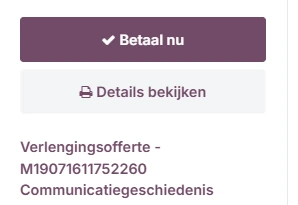
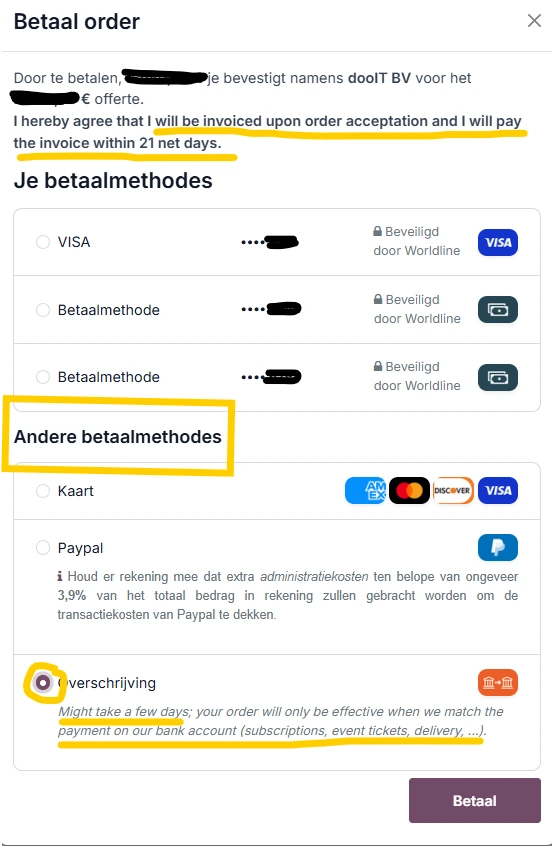
Then you will get - depending on the computer you are using - a number of payment methods including VISA or Wordline or VIVA.... The option Transfer will not be displayed immediately..
Therefore, choose Other payment methods and then see the last option Transfer.
This means that Odoo SA will send an invoice to the email address with which this Odoo subscription was signed on the next business day.
Book the invoice, go through your own approval process if you have one, and pay via SEPA (or transfer via the bank using the invoice number as a reference).
Since it may take a few days for Odoo SA's administration to reconcile your payment in their accounting, the subscription will only be activated afterward. If this takes too long, the subscription may be blocked by the Odoo.bot.
Therefore, our advice is to use a maximum payment term of 14 days.
P.S. 1 If you have chosen a monthly subscription, you must pay with a credit card, as your Odoo subscription will then be automatically renewed and charged via the used credit card.
P.S. 2 If you have chosen an annual subscription and paid with a credit card, Odoo can also automatically charge the renewal.