
At the end of an audit period (e.g., a fiscal year), you would like to have a series of general ledger accounts "empty," set to 0. For example, the VAT, LB (Wage Tax), VPB (Corporate Tax) accounts. Handy to start the new audit period with a clean slate. |
How can you automate account clearing in Odoo?
Go to the Accounting app, menu Accounting - Management/Automatic bookings. Choose New:
- the description can be freely entered;
- period adjustable (if you want to do this every month, quarter, or year, leave the end date empty);
- frequency: monthly, quarterly, yearly;
- journal; memorial? or another? ';
- on the left, fill in the source account(s) - which account(s) do you want to clear
- on the right, fill in the destination account(s) - to which account(s) should the transfer be made
Option is to split this into analytical filters (booking dimensions such as cost center, types, carriers, and whatever filters you have).
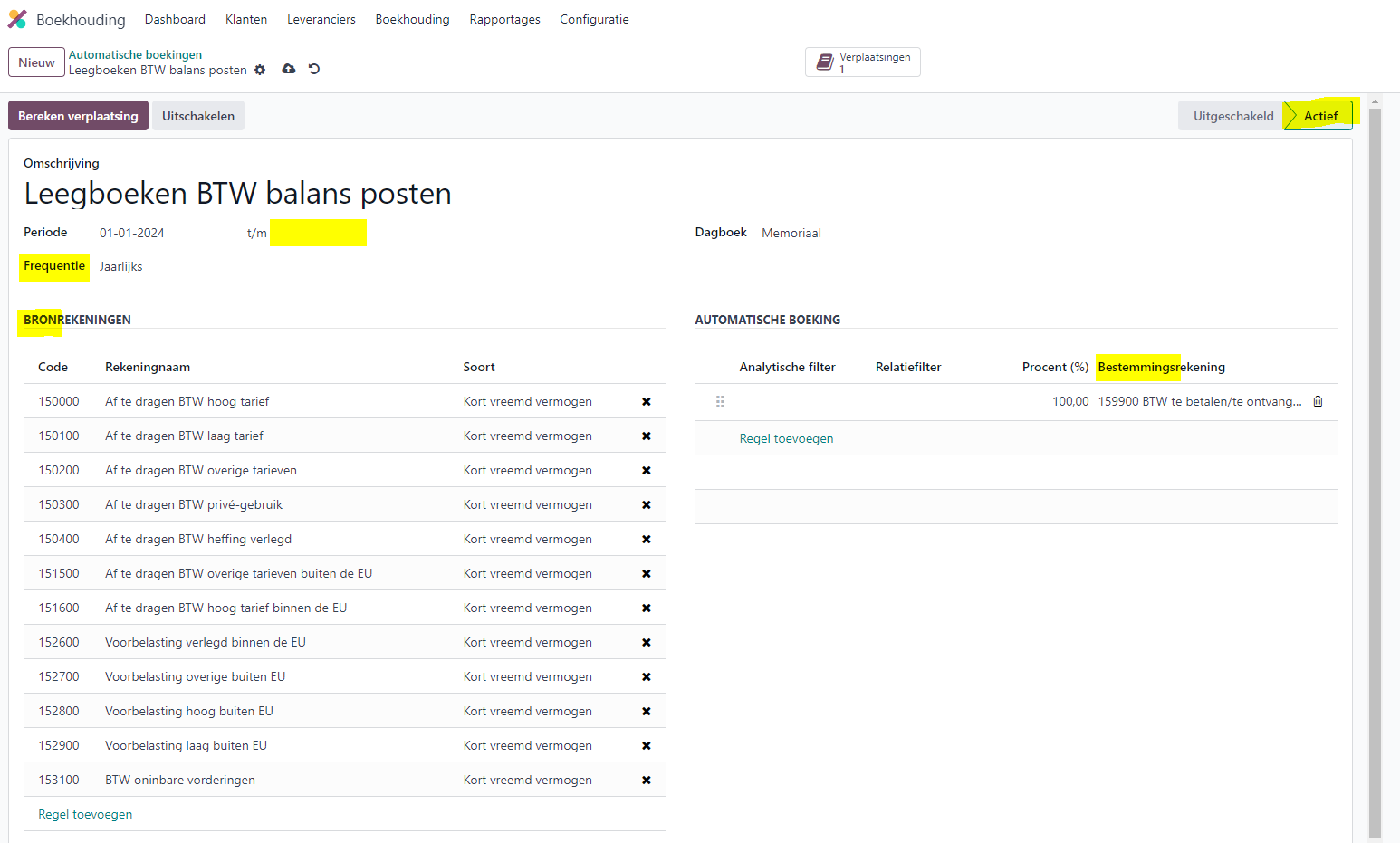
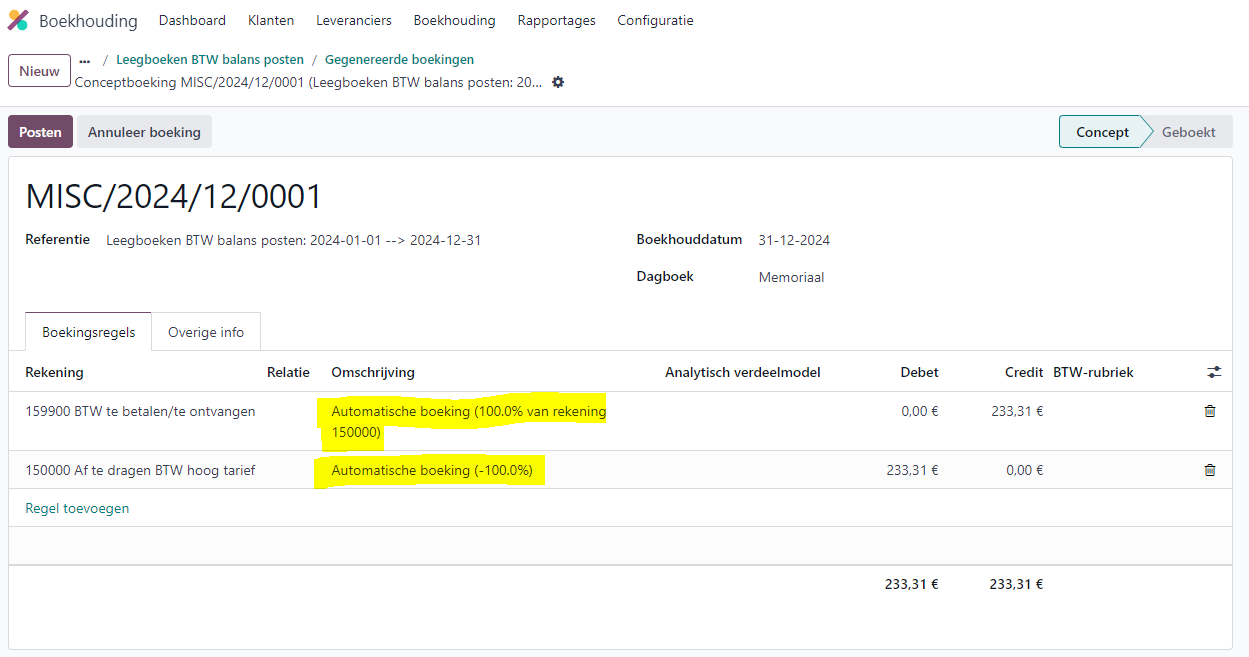
After you activate this automatic booking. Odoo creates a booking in draft status that will automatically receive the status Booked on the specified date: the so-called Transfers, which bookings you can see directly at the top right via the Transfers button with a clear description on the line:
Want to know more? Feel free to email or call us - we enjoy accounting!